
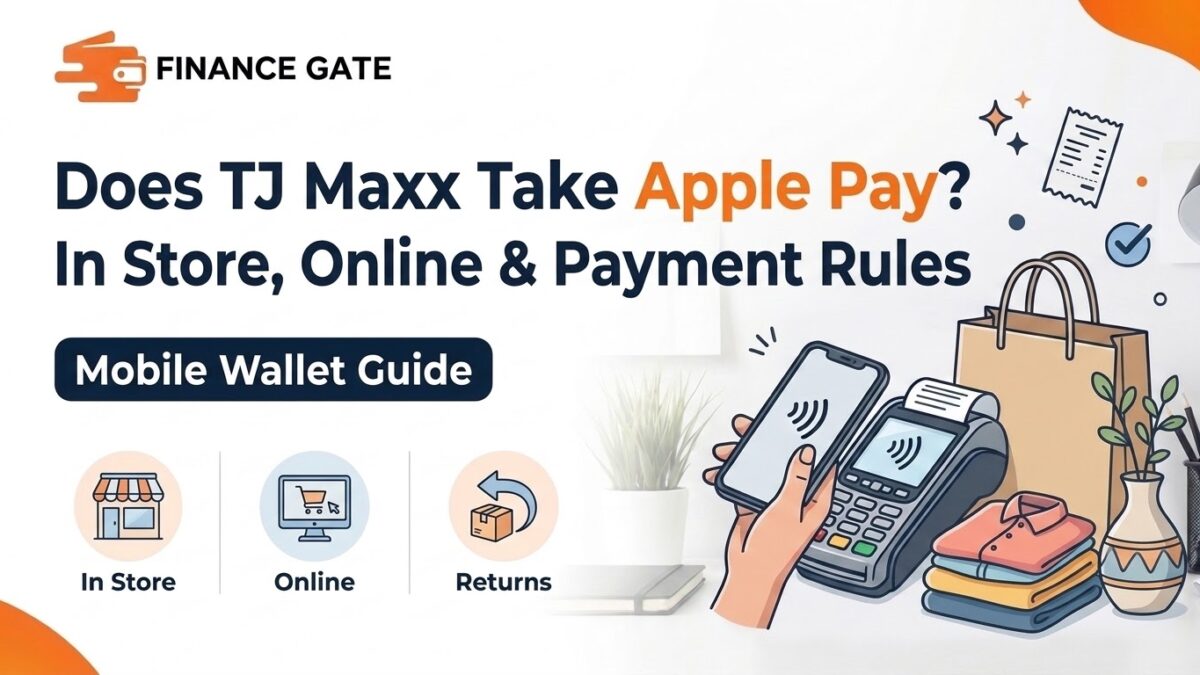
A shopper fills a cart at TJ Maxx, reaches the register, and realizes the wallet sits at home. With only an iPhone in hand, one question arrives fast: does TJ Maxx take Apple Pay here? Online answers conflict, with some pages saying yes and others saying no, which creates real confusion before checkout.
This guide checks what official TJ Maxx help pages confirm and what still depends on each store. Readers comparing wallet policies may also like our guide on does chipotle take apple pay for another chain. The sections below cover store use, online rules, other payment methods, mistakes, and a checklist.
Quick Answer: Does TJ Maxx Take Apple Pay?
Yes, TJ Maxx takes Apple Pay on tjmaxx.com, and most US stores accept it at contactless card readers. The official TJ Maxx help pages confirm Apple Pay as an online payment option for supported devices. In store acceptance usually works through tap to pay terminals, but older readers at some locations may fail. Shoppers should carry a backup card when visiting a store for the first time.
What Can Actually Be Verified
Many websites repeat claims about TJ Maxx and Apple Pay without naming a source. Some pages even claim the chain refuses mobile wallets entirely, while others promise acceptance at every single lane. The table below separates verified facts from claims that need a local check:
| Claim | Status | Source Type |
|---|---|---|
| Apple Pay works on tjmaxx.com | Verified | Official TJ Maxx help page |
| Apple Pay works as guest checkout online | Verified | Official TJ Maxx help page |
| Gift cards must go in before Apple Pay online | Verified | Official TJ Maxx help page |
| Apple Pay works at every store register | Not verified | Third party reports |
| Google Pay works in stores | Unclear | Mixed third party reports |
The safest reading is simple: online acceptance stays confirmed, while in store acceptance depends on each terminal.
In simple words, Apple Pay at TJ Maxx works online and usually works at store tap readers. That short rule protects shoppers from surprises at the register during busy weekends or holiday sales.
How Apple Pay Works at TJ Maxx Stores
Apple Pay uses near field communication, often called NFC, to send a secure token to a card reader. Any register with a working contactless reader can usually accept Apple Pay, even without a special store policy. Most TJ Maxx registers in the United States display the contactless symbol near the card slot.
iPhone or Apple Watch -> NFC tap on card reader -> Tokenized card data -> Bank approval -> Receipt
The process takes a few seconds when the terminal and the bank both approve the payment. A cashier may need to switch the reader to card mode before the shopper taps the phone. Some older readers display errors, so a second tap or a backup card often solves the problem.
Step 1: Set Up Apple Pay Before the Trip
Open the Wallet app on the iPhone and add a debit or credit card from a supported bank. Complete the bank verification step, which may involve a text code or a call. A card that shows inside Wallet without warnings stays ready for store checkout.
Step 2: Wait for the Cashier to Ring Up Items
Let the cashier scan every item and apply any coupons or rewards certificates first. Ask the cashier to confirm the total before tapping, because adjustments later can trigger a second charge. This order keeps the transaction clean and simple for both the shopper and the cashier.
Step 3: Tap the Phone on the Reader
Double click the side button, confirm with Face ID, and hold the phone near the reader. Apple Watch users double click the side button and hold the watch face close to the reader. A checkmark and a short beep show that the payment went through.
Step 4: Keep the Receipt for Returns
Ask for a printed or emailed receipt, because returns usually go back to the original payment method. The receipt may show the Device Account Number instead of the full card number. Store staff use this number to process refunds back to the same Apple Pay card.
How Apple Pay Works on TJMaxx.com
The official TJ Maxx help pages state that Apple Pay works for tjmaxx.com purchases on supported devices. Shoppers can choose the Apple Pay button during checkout and follow the prompts on screen. The option works with a TJ Maxx account or as a guest checkout.
Online Rules to Know
The help pages list a few rules that matter for online orders with Apple Pay:
| Rule | What It Means |
|---|---|
| Phone number required | Apple Pay account needs a saved phone number |
| Gift cards first | Add TJX gift cards before choosing Apple Pay |
| Rewards first | Add Rewards Certificates before choosing Apple Pay |
| Promo codes first | Enter promo codes before choosing Apple Pay |
| Supported devices only | Safari or Apple devices with Apple Pay active |
Shoppers who skip these rules often lose discounts because Apple Pay finalizes the order quickly.
Do not tap the Apple Pay button before adding gift cards, promo codes, or Rewards Certificates. The checkout may complete without the discount, and refunding the difference later takes extra time. Adding every code first keeps the full saving inside one simple order.
Other Payment Methods TJ Maxx Accepts
TJ Maxx accepts a wide range of payment methods beyond Apple Pay in stores and online. The table below summarizes the common payment options that shoppers report at TJ Maxx:
| Payment Method | In Store | Online |
|---|---|---|
| Visa, Mastercard, Amex, Discover | Yes | Yes |
| TJX Rewards credit cards | Yes | Yes |
| TJX gift cards | Yes | Yes |
| Cash | Yes | No |
| Apple Pay | Usually | Yes |
| PayPal | No | Usually |
Cards remain the most reliable option, since every register and the website accept major networks.
TJX Rewards Credit Card
The TJX Rewards credit card works across TJ Maxx, Marshalls, HomeGoods, Sierra, and Homesense. Cardholders can also add the card to Apple Wallet and tap it at contactless readers. Rewards points usually still apply when shoppers pay through Apple Pay with that card.
TJX Gift Cards
TJX gift cards work at all TJX stores in the United States and on their websites. Gift cards cannot sit inside Apple Pay, so shoppers must present the physical or digital card separately. Online shoppers should apply gift card balances before choosing any final payment method.
Does TJ Maxx Take Google Pay or Samsung Pay?
Reports about Google Pay and Samsung Pay at TJ Maxx conflict across many websites. Contactless readers that accept Apple Pay usually accept Google Pay and Samsung Pay too. Online, tjmaxx.com does not list Google Pay as a checkout option on its help pages.
Shoppers with Android phones should test a small purchase first or carry a physical card as backup. Readers who want a broader view can check our guide on what stores take apple pay next. Policies change over time, so a quick question to the cashier saves time at checkout.
Does Marshalls or HomeGoods Take Apple Pay?
Marshalls and HomeGoods belong to the same parent company, TJX Companies, as TJ Maxx. Their stores often use similar registers, so contactless payments usually work in the same way. Online policies differ by brand, so shoppers should check each website’s help pages before ordering.
| Store | In Store Apple Pay | Online Apple Pay |
|---|---|---|
| TJ Maxx | Usually works | Yes, confirmed |
| Marshalls | Usually works | Check help page |
| HomeGoods | Usually works | Limited online shop |
The table shows that TJ Maxx offers the clearest online Apple Pay support among the TJX brands.
Is Apple Pay Safe at TJ Maxx?
Apple Pay never shares the actual card number with the store or the cashier during checkout. Instead, it sends a unique device token and a one time security code for each payment. This method lowers the risk of card skimming compared with swiping a physical card.
Face ID, Touch ID, or a passcode must approve each payment before the phone sends any data. A lost iPhone cannot pay without that approval, and owners can suspend Apple Pay through Find My. These protections make Apple Pay a strong choice for busy stores with many registers.
Real World Example
A shopper in Ohio tried Apple Pay at two TJ Maxx stores during the same weekend. The first store accepted the tap instantly, while the second store’s older reader showed an error twice. The cashier switched the terminal to card mode, and the third tap worked without problems.
This example shows why many reports conflict online, since results depend on each register. A backup card in the bag removes the stress when a reader acts up. Store staff can usually fix the issue within a minute when shoppers ask politely.
Common Mistakes When Using Apple Pay at TJ Maxx
1. Tapping Before the Total Appears
Some shoppers tap the phone while the cashier still scans items, which causes declined or partial payments. The reader needs the final total before it can request approval from the bank. Wait for the cashier’s signal before tapping to avoid repeat attempts and pending holds.
2. Forgetting Gift Cards Online
Online shoppers often choose Apple Pay first and forget to add gift cards or Rewards Certificates. The official help pages say these must go in before selecting Apple Pay. Missing this step means paying full price and requesting price adjustments from customer service later.
3. Assuming Every Register Works
A few older or damaged readers may fail even when the store accepts contactless payments. Shoppers who leave every physical card at home risk an awkward moment at checkout. Carrying one backup card in a wallet or phone case solves this problem in seconds.
4. Missing the Phone Number in Apple Pay
Online orders through Apple Pay require a phone number inside the Apple Pay account. Orders may fail or stall when this field stays empty in Wallet settings. Add a phone number under Wallet and Apple Pay settings before checking out.
5. Losing the Receipt for Returns
Returns usually go back to the original payment method, which includes the Apple Pay card. Without a receipt, stores may issue store credit instead of a refund to the card. Keep digital or paper receipts until the store return window closes for every item.
Why Online Answers Conflict
Conflicting answers usually come from old articles, regional differences, and a few unreliable content farms. Some pages copied claims from years ago, when fewer retailers used contactless readers at every lane. Others mix up online and in store policies, which creates confusing headlines for shoppers.
A few low quality sites even publish spammy pages with fake phone numbers and copied text. Shoppers should rely on official TJ Maxx help pages, store staff, and their own banking apps. These sources give the most accurate picture of what works at checkout today.
Signals That a Source Is Reliable
Reliable sources usually show a clear date, cite official help pages, and avoid absolute promises. The table below lists signals worth checking before trusting any payment guide online:
| Signal | What to Check |
|---|---|
| Date | Updated within the last year |
| Source | Links or names official help pages |
| Tone | Hedged claims, no absolute promises |
| Contact details | No random phone numbers in text |
Sources that pass these checks usually give safer answers about payment acceptance at any retailer.
Apple Pay Compared With Other Ways to Pay
Each payment method at TJ Maxx offers different strengths for speed, rewards, and protection. Apple Pay wins on speed and card security, while the TJX Rewards card wins on store rewards. Cash works everywhere in stores but offers no purchase protection or easy tracking for budgets.
Shoppers who want the best mix can add the TJX Rewards card to Apple Wallet and tap it. This setup combines rewards points with the token security that Apple Pay provides at checkout. Online, the same card works through the Apple Pay button on supported Apple devices.
When to Stop and Use Another Method
Stop trying Apple Pay after two failed taps at the same register during a busy checkout. Repeated attempts may trigger fraud checks from the bank or create duplicate pending charges. Switch to a physical card, then check the banking app later for any stray holds.
Verification Checklist
Use this checklist before paying with Apple Pay at TJ Maxx in store or online:
- Confirm that the Wallet app shows an active card without any bank verification warnings.
- Check for the contactless symbol on the store card reader before tapping the phone.
- Add gift cards, Rewards Certificates, and promo codes before choosing Apple Pay online.
- Verify that the Apple Pay account includes a phone number for online order processing.
- Carry one backup debit or credit card in case the register reader fails twice.
- Keep the receipt so returns can go back to the original Apple Pay card.
Frequently Asked Questions
Does TJ Maxx take Apple Pay in store?
Most TJ Maxx stores take Apple Pay through contactless card readers at the register. Acceptance depends on each terminal, so older or damaged readers may occasionally fail. Shoppers should carry a backup card during their first visit to a new store.
Does TJ Maxx take Apple Pay online?
Yes, TJ Maxx takes Apple Pay online at tjmaxx.com on supported Apple devices. The official help pages confirm this option for account holders and guest shoppers. Add gift cards and promo codes before selecting Apple Pay at checkout.
Can I use Apple Pay at TJ Maxx self checkout?
Self checkout options vary by store, and many TJ Maxx locations still use staffed registers. Where self checkout exists, contactless readers usually accept Apple Pay taps from shoppers. Store staff can confirm the available payment options at each specific store location.
Does TJ Maxx accept Google Pay?
Contactless readers in many TJ Maxx stores usually accept Google Pay because it uses NFC. The website does not list Google Pay as an online checkout option. Android users should carry a backup card until they confirm local acceptance.
Can I use a TJX gift card with Apple Pay?
TJX gift cards cannot load into Apple Pay, so shoppers must present them separately. Online, the gift card must go in before choosing Apple Pay for any remaining balance. In stores, cashiers can split payment between a gift card and Apple Pay.
Does TJ Maxx take Apple Pay for returns?
Returns usually go back to the original payment method, including cards used through Apple Pay. Cashiers may ask the shopper to tap the same device to process the refund. Keep the receipt to make the return process faster and smoother for everyone involved.
Is there a limit on Apple Pay purchases at TJ Maxx?
TJ Maxx does not publish a special Apple Pay limit for store purchases. Limits usually come from the card issuer or bank instead of the store itself. Large purchases may need extra approval from the bank through the banking app.
Does Marshalls take Apple Pay like TJ Maxx?
Marshalls stores usually accept Apple Pay through contactless readers, similar to TJ Maxx locations. Online policies may differ, so shoppers should check the Marshalls help pages first. Both brands belong to TJX Companies and share many store systems and registers.
Can I earn TJX Rewards points with Apple Pay?
Shoppers earn TJX Rewards points when they pay with a TJX Rewards credit card inside Apple Pay. Points depend on the card used, not on the Apple Pay app itself. Other cards in Wallet earn rewards from their own issuing banks instead.
Why did Apple Pay fail at TJ Maxx?
Apple Pay usually fails because of an older reader, a weak tap, or a bank decline. Ask the cashier to reset the terminal and try one more tap. If it fails again, switch to a physical card and check the banking app.
Key Takeaways
- TJ Maxx takes Apple Pay online at tjmaxx.com, which official TJ Maxx help pages confirm.
- Most TJ Maxx stores accept Apple Pay through contactless readers at standard staffed registers.
- Older or damaged card readers may fail, so shoppers should always carry one backup card.
- Gift cards, Rewards Certificates, and promo codes must go in before choosing Apple Pay online.
- Online Apple Pay orders require a phone number saved inside the shopper’s Apple Pay account.
- Google Pay and Samsung Pay usually work at the same contactless readers inside stores.
- Apple Pay protects card numbers with device tokens and requires Face ID or a passcode.
- Returns usually go back to the original Apple Pay card when shoppers keep their receipt.
- Marshalls and HomeGoods share TJX systems, but their online payment options may differ.
Conclusion
The short answer to does TJ Maxx take Apple Pay is yes online and usually yes in stores. Official help pages confirm Apple Pay on tjmaxx.com, while store acceptance depends on each contactless reader. Shoppers who follow the online rules and carry a backup card rarely face problems at checkout.
Apple Pay adds speed and security to every TJ Maxx trip when shoppers set it up correctly beforehand. Keep receipts, add discounts first, and stop after two failed taps to avoid duplicate holds. Explore more payment acceptance guides on Finance Gate before the next shopping trip.

 Muhammad Bilal