
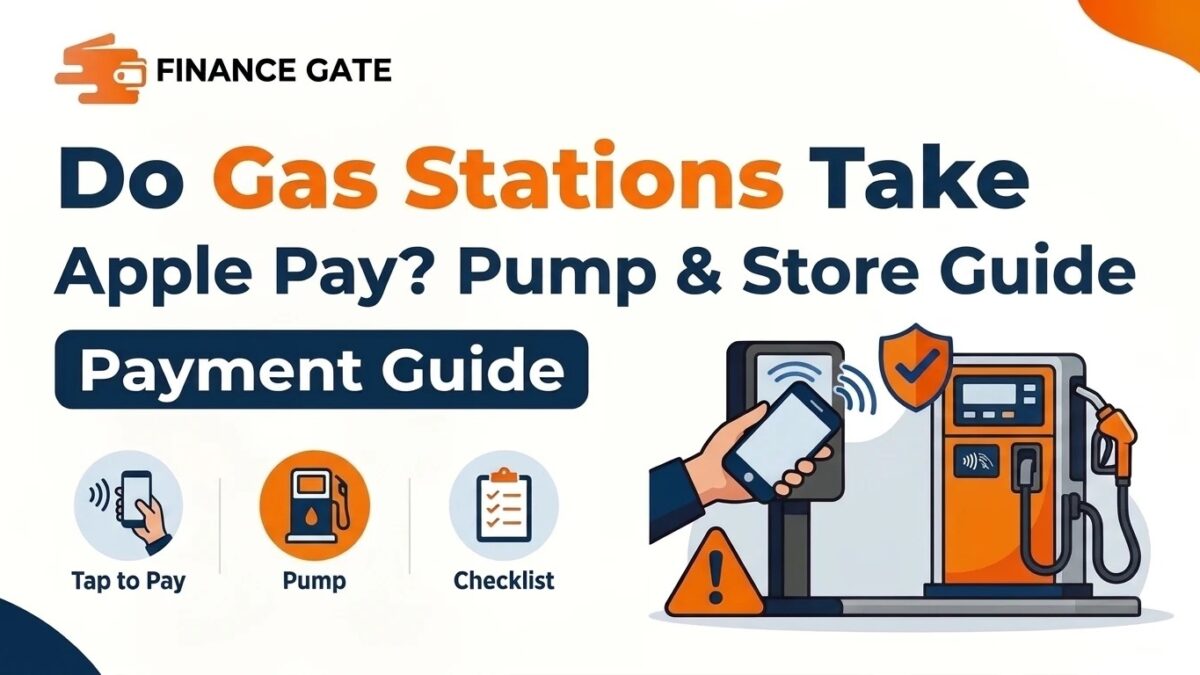
A driver pulls into a station with a nearly empty tank and finds the wallet missing. The iPhone sits in the cupholder, so the next question comes fast about paying with Apple Pay. Do gas stations take Apple Pay is a common question because acceptance depends on the chain and pump.
Shoppers who read does dollar general take apple pay know store policy and hardware both matter. Gas stations add another layer, since the pump and the counter often use different terminals.
This guide explains how Apple Pay works at stations, which chains accept it, and where it fails. It also covers app payments, pump holds, security, common mistakes, a checklist, and answers to frequent questions.
Quick Answer: Do Gas Stations Take Apple Pay?
Yes, many gas stations take Apple Pay, but acceptance varies by chain, location, and pump hardware. Shell, Chevron, BP, Wawa, Sheetz, QuikTrip, and Circle K accept it at many locations. Older pumps without contactless readers may reject it, so look for the contactless symbol before starting.
How Does Apple Pay Work at Gas Stations?
Apple Pay uses near field communication, a short range wireless signal, to send payment details from devices. The phone must sit within a few centimeters of a contactless reader for the payment to start. The reader then sends a secure token to the card network, not the real card number.
In simple words, Apple Pay works at any pump or register with a working contactless reader. The station does not need a special Apple agreement in most cases. It only needs hardware that reads tap to pay cards and phones.
iPhone or Apple Watch -> Contactless reader -> Card network -> Bank approval -> Pump unlocks
Most stations use the same payment network for cards and phones, so approval times stay similar. The pump usually unlocks within a few seconds after the bank approves the payment. Drivers then pick a fuel grade and start pumping as usual without any extra steps.
What Is the Contactless Symbol?
The contactless symbol shows four curved lines that widen from left to right, like a sideways WiFi icon. Pumps and registers that show this symbol usually accept Apple Pay, Google Pay, and tap to pay cards. The symbol matters more than the brand logo when deciding whether Apple Pay will work.
Apple Pay at the Pump vs Inside the Store
Many stations accept Apple Pay at the register inside but not at every pump outside. Pump readers cost more to replace, so owners upgrade them later than indoor terminals in many cases. The table below compares both payment points across four factors drivers notice first:
| Factor | At the pump | Inside the store |
|---|---|---|
| Contactless availability | Varies by pump age | More common |
| Speed | Fast once reader works | Depends on the line |
| Pre authorization hold | Common | Rare for set amounts |
| Best for | Quick fill ups | Fixed amounts and snacks |
Paying inside works as a backup when the pump reader fails or shows no contactless symbol.
Which Gas Stations Take Apple Pay?
Major chains have upgraded many locations to contactless payment over recent years. Franchise operators still decide hardware upgrades at each site, so acceptance differs between locations. The table below summarizes common chains and their usual Apple Pay support:
| Gas station chain | At the pump | Inside the store | Notes |
|---|---|---|---|
| Shell | Many locations | Most locations | Shell app also supports Apple Pay |
| ExxonMobil | Many locations | Most locations | Exxon Mobil Rewards+ app supports Apple Pay |
| Chevron and Texaco | Most locations | Most locations | Chevron app links rewards |
| BP and Amoco | Many locations | Most locations | BP app supports mobile payment |
| Wawa | Yes | Yes | Wide contactless support |
| Sheetz | Yes | Yes | Wide contactless support |
| QuikTrip | Many locations | Yes | Newer pumps support tap |
| Circle K | Many locations | Most locations | Varies by region |
| 7-Eleven and Speedway | Many locations | Most locations | App options vary |
| Sunoco, Valero, Citgo, Phillips 66 | Varies | Varies | Franchise owners decide |
Chain policy sets the direction, but each station’s hardware decides the final answer on any given day.
Shell
Shell supports Apple Pay at many pumps and at most indoor registers across the United States. The Shell app also lets drivers activate a pump and pay through Apple Pay inside the app. Rewards members often link loyalty accounts to save a few cents per gallon.
ExxonMobil
ExxonMobil stations accept Apple Pay through the Exxon Mobil Rewards+ app at participating locations. Drivers open the app, choose the pump number, and confirm payment with Face ID or Touch ID. Many newer pumps also accept direct tap payments without opening the app first.
Chevron and Texaco
Chevron and Texaco stations accept Apple Pay at most locations with updated pumps and registers. The Chevron app connects rewards and mobile payment for drivers who fill up often. Older franchise stations may still lack contactless pump readers in some rural areas.
BP and Amoco
BP and Amoco stations accept Apple Pay at many pumps and most registers. BP’s mobile app supports payment at the pump and links fuel discounts to the account. Acceptance depends on each site’s equipment, so drivers should check the reader before tapping.
Convenience Store Chains
Wawa, Sheetz, and QuikTrip lead many lists for contactless support across their fuel and food counters. These chains own most of their locations, which helps them upgrade hardware faster than franchise brands. Drivers in their regions usually find Apple Pay working at both pumps and registers.
Warehouse Clubs and Grocery Fuel Stations
Warehouse club and grocery fuel stations follow their parent store’s payment rules in most cases. Some grocery chains have resisted Apple Pay for years, though their fuel centers sometimes accept it. Club stations may require a membership card first, then accept certain cards or phones afterward.
Which Gas Stations Usually Do Not Take Apple Pay?
A few station types reject Apple Pay more often than major branded chains. Small independent stations with older pumps top this list because upgrades cost thousands of dollars per pump. Rural stations sometimes delay upgrades longer because they serve fewer customers each day.
Stores tied to retailers that prefer their own payment apps may also skip Apple Pay at registers. Some of these retailers push store apps or loyalty wallets instead of Apple Wallet. Drivers should never assume acceptance at a new station without checking the reader or asking staff.
Gas Station Apps That Support Apple Pay
Many fuel brands offer apps that accept Apple Pay, even when the pump lacks a tap reader. Drivers select the station, enter the pump number, and approve payment in the app. The app then unlocks the pump remotely without any card or phone tap.
App payments also add rewards, receipts, and price alerts in one place on the phone. Some apps offer extra cents off per gallon for linking a bank account instead of a card. Readers should compare these offers carefully because each payment method carries its own risks and benefits.
| Payment method | Needs contactless pump | Rewards linking | Best for |
|---|---|---|---|
| Tap with Apple Pay | Yes | Separate step | Quick fill ups |
| Brand app with Apple Pay | No | Built in | Regular brand customers |
| Physical card | No | Separate step | Older pumps |
| Cash inside | No | Separate step | Budget control |
The brand app route works best for drivers who stick to one fuel brand most weeks.
How to Use Apple Pay at a Gas Pump Step by Step
Using Apple Pay at the pump takes less than a minute once the card sits in Apple Wallet. The steps below cover a standard fill up at a contactless pump.
Step 1: Add a Card to Apple Wallet
Open the Wallet app on the iPhone and tap the plus button to add a card. Follow the bank’s verification steps, which may include a text code or a call. The card appears in Wallet once the bank approves it for Apple Pay use.
Step 2: Find the Contactless Reader
Look for the contactless symbol near the card slot or screen on the pump. Some pumps place the reader under the keypad, while others place it beside the screen. A missing symbol usually means the pump cannot read phones or tap cards.
Step 3: Hold the iPhone Near the Reader
Double click the side button on newer iPhones, or the home button on older models. Confirm with Face ID, Touch ID, or the passcode, then hold the phone near the reader. Wait for the check mark and a short sound before moving the phone away.
Step 4: Answer Pump Prompts
Some pumps ask for a ZIP code, a rewards number, or a car wash choice after the tap. Enter the billing ZIP code tied to the card if the pump requests it. Follow the screen prompts until the pump displays a message to lift the nozzle.
Step 5: Fuel and Collect the Receipt
Choose the fuel grade, fill the tank, and replace the nozzle when finished. Select a receipt on the pump screen or check the Wallet app for the transaction record. The bank usually adjusts any temporary hold to the final amount within a few days.
What Is a Gas Pump Pre Authorization Hold?
Gas pumps often place a temporary hold on the card because the final amount stays unknown. The hold can exceed the actual purchase, especially at pumps that allow large fill ups. Card networks and banks set limits, and some holds reach well over one hundred dollars.
The bank releases the extra hold once the station sends the final amount, usually within a few days. Drivers using debit cards with low balances may see declined payments or overdraft problems from these holds. Paying inside for a fixed amount avoids large holds on accounts with tight balances.
| Situation | Hold risk | Better option |
|---|---|---|
| Debit card with low balance | High | Pay a fixed amount inside |
| Credit card with high limit | Low | Pay at the pump |
| Brand app payment | Varies | Check app hold rules |
| Cash payment | None | Pay inside before fueling |
Drivers on tight budgets gain more control by choosing a set amount inside before pumping.
Debit Card vs Credit Card in Apple Wallet for Gas
The card inside Apple Wallet shapes the experience at the pump more than Apple Pay itself. Debit cards pull money straight from checking accounts, so pump holds reduce available cash for days. Credit cards place holds against a credit limit, which usually leaves bill money untouched.
| Factor | Debit card in Wallet | Credit card in Wallet |
|---|---|---|
| Hold affects | Checking balance | Credit limit |
| Fraud recovery | Money leaves account first | Disputed charge before payment |
| Fuel rewards | Rare | Common on many cards |
Credit cards usually suit fuel purchases better, as long as drivers pay the balance in full monthly. Drivers who carry balances should weigh interest costs before moving fuel spending onto credit.
Is Apple Pay Safe at Gas Stations?
Apple Pay is not inherently risky at gas stations, and it often beats swiping a physical card. It sends a unique device account number and a one time code instead of the card number. Skimmers hidden inside card slots cannot copy that real card number during a tap payment.
Card skimming remains a serious problem at gas pumps across many states. Criminals install hidden devices inside card slots to copy magnetic stripe data and PIN entries. Tap payments skip the card slot, which removes the main path that skimmers rely on.
Apple Pay reduces skimming risk because the real card number never leaves the phone. Drivers should still watch for loose panels, broken seals, or odd parts on the pump. Report any suspicious pump to station staff before paying with any card or phone.
Key Characteristics of Apple Pay Friendly Gas Stations
Stations that handle Apple Pay smoothly share several features that drivers can spot quickly. The key characteristics include the following points worth checking at any new station:
- The pumps display the contactless symbol near the card slot, screen, or keypad area.
- The station belongs to a chain that has upgraded most locations to modern payment terminals.
- The brand offers a mobile app that accepts Apple Pay and links fuel rewards to each purchase.
- Indoor registers accept tap payments, giving drivers a backup when a pump reader fails.
- Staff can set fixed fuel amounts inside for drivers who want to avoid large pump holds.
How Apple Pay Protects Card Details
Apple Pay never stores the real card number on the iPhone or on Apple’s servers in usable form. Instead, the bank issues a device account number that works only on that specific device. Each payment also includes a one time code, so stolen payment data cannot repeat later.
Benefits of Using Apple Pay at Gas Stations
Apple Pay offers several advantages over cards and cash at the pump. The main benefits include the following points for everyday drivers and commuters across the country:
- Tap payments skip the card slot, which lowers the risk from hidden skimming devices on pumps.
- Drivers can pay with an iPhone or Apple Watch when they forget a physical wallet at home.
- Face ID or Touch ID confirms each payment, which blocks strangers from using a lost phone.
- Transaction records appear in the Wallet app, which helps drivers track fuel spending each month.
- Many gas station apps accept Apple Pay inside the app, even at pumps without tap readers.
- Contactless payments reduce contact with shared keypads and card readers at busy stations.
Apple Pay vs Physical Card at the Pump
Drivers often wonder whether Apple Pay offers real advantages over a regular card at the pump. Readers of our does sonic take apple pay guide will notice similar patterns here. The table below compares both payment methods across five practical factors for drivers:
| Factor | Apple Pay | Physical card |
|---|---|---|
| Skimming risk | Lower | Higher with swipe |
| Speed | Fast tap | Insert or swipe |
| Works without wallet | Yes | No |
| Works at older pumps | No | Yes |
| Rewards from card | Yes, same card | Yes |
Apple Pay wins on safety and convenience, while physical cards still win at older pumps.
Apple Pay vs Google Pay at Gas Stations
Apple Pay and Google Pay both rely on the same contactless technology at gas station terminals. A pump that accepts one usually accepts the other, since both use standard tap to pay readers. The table below shows the main differences between the two mobile wallets at the pump:
| Factor | Apple Pay | Google Pay |
|---|---|---|
| Device type | iPhone and Apple Watch | Android phones and watches |
| Pump compatibility | Contactless readers | Contactless readers |
| Security method | Device account number | Virtual account number |
| App payments | Many fuel apps | Many fuel apps |
Device choice decides which wallet drivers use, while the pump reader decides whether either one works.
How to Find Gas Stations That Take Apple Pay Near Me
Drivers can find Apple Pay friendly stations before leaving home with a few quick checks. These methods save time on long road trips and in unfamiliar neighborhoods or cities.
Check Apple Maps
Apple Maps often shows an Apple Pay label on place cards for businesses that accept it. Search for gas stations nearby, open a station’s card, and look for the Apple Pay mark. The label usually reflects store payments, so pump support may still differ at that location.
Use Brand Station Locators
Fuel brand apps list nearby stations and often mark sites that support mobile payment. Drivers who choose one brand for most fill ups can rely on its app for accurate site details. These locators also show fuel prices, car wash options, and store hours in one place.
Ask Station Staff
A quick question to the cashier settles any doubt about pump readers or register support. Staff usually know which pumps have working contactless readers on any given day. Asking takes seconds and prevents frustration at a pump that cannot read phones.
Apple Pay for Car Washes, Snacks, and EV Charging
Many gas stations now sell far more than fuel, and Apple Pay often works across those services. Car wash kiosks at newer stations frequently include contactless readers for quick payment. Drivers can also buy car wash codes through some brand apps that accept Apple Pay.
Convenience store counters inside stations usually accept Apple Pay for snacks, drinks, and household items. Electric vehicle chargers at large travel centers often support tap to pay as well. Charging networks also offer apps that accept Apple Pay for drivers without a network account.
Apple Pay at Gas Stations Outside the United States
Contactless payment spread faster in many countries outside the United States over the past decade. Stations in the United Kingdom, Canada, Australia, and much of Europe commonly accept tap payments. Pumps in some countries require prepayment inside before unlocking for any payment method.
Travelers should confirm that their card works abroad and check for foreign transaction fees first. Apple Pay uses the card’s own network rules, so international acceptance follows that card’s terms. A backup card from another network helps when one network faces limited acceptance abroad.
Test Questions to Check Apple Pay Knowledge
Short questions help drivers confirm they remember the main points before their next trip. The questions below cover the most useful ideas from this practical payment guide.
What Symbol Shows Apple Pay Will Work?
The contactless symbol, shown as four curved lines, signals that a pump or register reads tap payments. Apple Pay usually works anywhere that symbol appears on a working reader.
Why Pay Inside Instead of at the Pump?
Paying inside lets drivers set a fixed amount, which avoids large holds on debit accounts. It also works when pump readers fail or lack any contactless support at older stations.
Real World Example: A Road Trip Payment Problem
A family drove across three states and planned to pay for every fill up with Apple Pay. Most branded stations on the highway accepted taps at the pump without any problems. A small rural station near a state park had older pumps with no contactless reader.
The driver walked inside and found that the register accepted Apple Pay for a fixed amount. The cashier set the pump to thirty dollars, and the family continued without delay. After that stop, the driver kept a physical card in the glovebox as a backup for older stations.
Common Problems and First Checks
Apple Pay sometimes fails at the pump for reasons unrelated to the phone or the bank. The table below lists frequent problems, likely causes, and a first check:
| Problem | Likely cause | First check |
|---|---|---|
| Nothing happens on tap | No contactless reader | Look for the contactless symbol |
| Payment declined | Pre authorization hold too large | Pay inside for a fixed amount |
| Pump asks for card insert | Reader disabled or broken | Try another pump or pay inside |
| ZIP code rejected | Billing ZIP mismatch | Use the ZIP tied to the card |
| Tap times out | Phone held too far away | Hold the top edge closer |
Most failures come from older or broken readers, so trying another pump often solves the problem.
Common Mistakes When Paying for Gas With Apple Pay
Small errors cause many failed payments and unexpected holds at gas stations. The mistakes below appear often among new Apple Pay users at gas stations.
1. Assuming Every Pump Accepts Apple Pay
Brand logos on the canopy do not guarantee that every pump has a working contactless reader. Some stations upgrade only a few pumps or wait for broken readers to get repaired. Check the reader on each pump before pulling in when the tank sits near empty.
2. Using a Low Balance Debit Card
Pre authorization holds can lock more money than the actual fuel purchase on debit cards. Drivers with small balances may face declined payments or temporary shortfalls for other bills. Use a credit card in Apple Wallet or pay inside for a set amount instead.
3. Ignoring Pump Tampering Signs
Apple Pay reduces skimming risk, but some criminals also install fake keypads or hidden cameras. Drivers who enter a debit PIN on a tampered keypad may still expose sensitive details. Do not use any pump with loose panels, broken seals, or strange attachments.
4. Forgetting the Rewards Step
Many drivers tap Apple Pay and skip the rewards prompt, which loses discounts over time. Link the rewards account in the brand app or enter the loyalty number before fueling. Small savings per gallon add up across a full year of regular driving.
5. Holding the Phone in the Wrong Spot
The iPhone’s contactless antenna sits near the top edge of the device. Drivers who hold the bottom of the phone near the reader often see failed taps. Hold the top edge close to the reader and wait for the check mark.
Tips for Paying for Gas With Apple Pay
Simple habits make Apple Pay faster and safer at every station along any route. Use these tips for daily commutes, weekend errands, and long road trips:
- Look for the contactless symbol on the pump before stopping when fuel levels run low.
- Keep a credit card in Apple Wallet for fuel to avoid large holds on debit accounts.
- Download the app for the fuel brand used most often to combine payment and rewards.
- Carry a backup physical card in the car for rural stations with older pump hardware.
- Check the Wallet transaction record after each fill up to spot errors or duplicate charges quickly.
- Report any pump that looks tampered with to staff before attempting any form of payment.
Do Gas Stations Take Apple Pay Checklist
Use this checklist before the next fill up with Apple Pay at an unfamiliar station:
- The driver has added a working debit or credit card to Apple Wallet and confirmed bank approval.
- The pump displays the contactless symbol or the station app supports Apple Pay payments.
- The card in use has enough available credit or balance to cover a temporary pump hold.
- The driver knows the billing ZIP code tied to the card for pump verification prompts.
- A backup physical card sits in the car for stations with older or broken pump readers.
- The pump shows no loose panels, broken seals, or strange parts before any payment begins.
Frequently Asked Questions
Do Gas Stations Take Apple Pay at the Pump?
Many gas stations take Apple Pay at the pump when the pump has a working contactless reader. Shell, Chevron, BP, Wawa, Sheetz, and QuikTrip accept it at many locations, though older pumps may not.
Does Shell Take Apple Pay?
Shell accepts Apple Pay at many pumps and most indoor registers across the United States. Drivers can also pay through the Shell app, which supports Apple Pay and links rewards.
Does Costco Gas Take Apple Pay?
Costco gas stations usually require a membership card first, then accept eligible payment methods at the pump. Acceptance of Apple Pay can vary by location, so drivers should check the pump screen before fueling.
Why Did Apple Pay Get Declined at the Gas Pump?
Apple Pay often gets declined because of a large pump hold or a broken reader. Drivers can try another pump, use a different card, or pay inside for a fixed amount.
Is Apple Pay Safer Than a Card at Gas Stations?
Apple Pay is usually safer than swiping because it sends a device token, not the card number. That design protects drivers from most card slot skimmers hidden inside gas pumps.
Can I Use Apple Watch to Pay for Gas?
Drivers can use Apple Watch to pay for gas at any pump or register that accepts contactless payments. Double click the side button on the watch, then hold the screen near the reader.
Do Gas Stations Take Apple Pay Inside the Store?
Most major gas stations take Apple Pay inside the store, even when some pumps lack contactless readers. Paying inside also lets drivers set a fixed fuel amount and avoid large pump holds.
Do Small Independent Gas Stations Take Apple Pay?
Some small independent gas stations take Apple Pay, but many still use older pumps without contactless readers. Drivers should look for the contactless symbol or ask the cashier before fueling.
How Much Is the Gas Pump Hold With Apple Pay?
The gas pump hold with Apple Pay matches the hold for the card inside the wallet. Amounts vary by station and card network, and some holds exceed one hundred dollars before the final adjustment.
Can I Earn Fuel Rewards When Paying With Apple Pay?
Drivers can earn fuel rewards with Apple Pay by linking loyalty accounts inside brand apps. The underlying card also keeps its normal cash back or points when used through Apple Pay.
Key Takeaways
- Many gas stations take Apple Pay, but acceptance depends on chain, location, and pump hardware.
- The contactless symbol on a pump or register signals that Apple Pay will usually work.
- Shell, ExxonMobil, Chevron, BP, Wawa, Sheetz, QuikTrip, and Circle K support Apple Pay widely.
- Franchise and independent stations decide upgrades site by site, so acceptance varies across locations.
- Brand apps often accept Apple Pay inside the app, even at pumps without tap readers.
- Pre authorization holds can exceed the fuel purchase, especially on low balance debit cards.
- Paying inside for a fixed amount avoids large holds and works when pump readers fail.
- Apple Pay lowers skimming risk because it never shares the real card number with the pump.
- Holding the top edge of the iPhone near the reader prevents many failed tap attempts.
- A backup physical card helps drivers at rural stations with older pump equipment.
- Linking rewards accounts in fuel apps keeps discounts flowing with every Apple Pay purchase.
Final Thoughts
So, do gas stations take Apple Pay in most places across the country today? Many major chains accept it, though older pumps and some independent stations still lag behind. The contactless symbol remains the fastest way to confirm acceptance before starting any fill up.
Drivers who keep a credit card in Wallet, use brand apps, and carry backups rarely face problems. Apple Pay also adds real protection against card skimmers hidden inside gas pumps. Explore more payment and card guides on FinanceGate for clear answers about where everyday payment methods work.

 Muhammad Bilal