

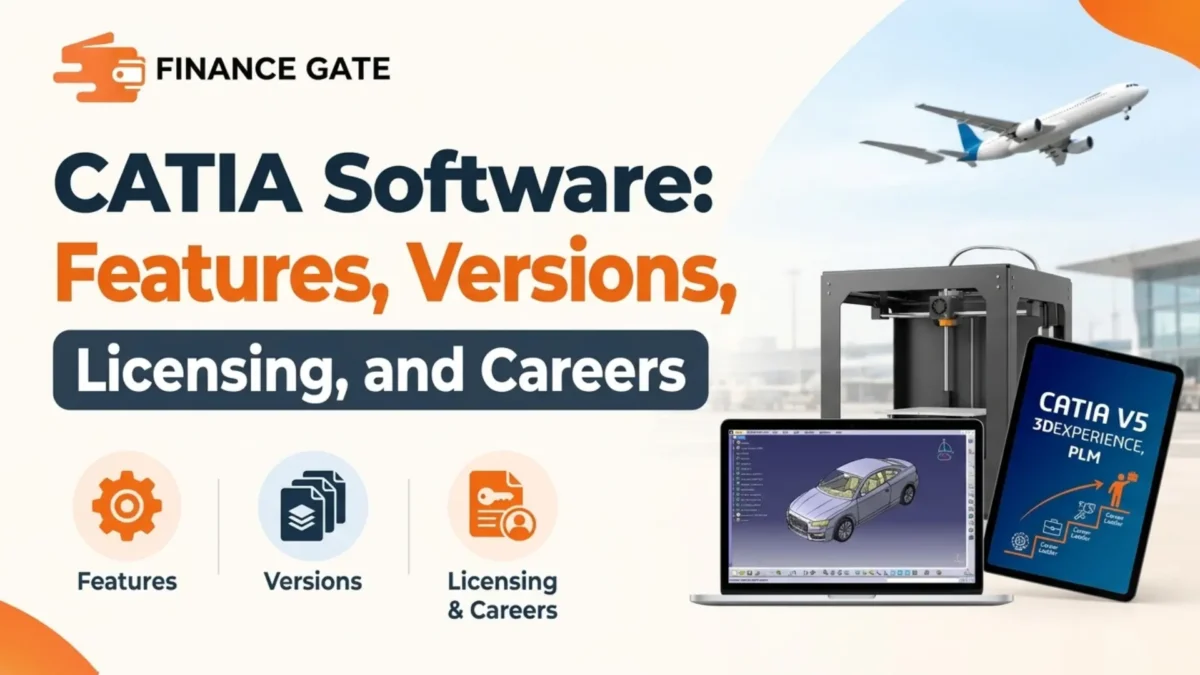
An aerospace engineer opens a model with thousands of parts, each linked to suppliers across three countries. A small mistake in one bracket could delay production and cost the company millions. That scale explains why large manufacturers rely on catia software for their most demanding design work.
CATIA sits at the high end of engineering tools, with cloud and platform plans available.
This guide explains what CATIA does, how CATIA V5 differs from 3DEXPERIENCE CATIA, and how licensing works. It also covers industries, career value, learning steps, and the mistakes companies make when moving to CATIA.
Quick Answer: What Is CATIA Software?
CATIA software is a 3D design and engineering platform from Dassault Systemes used for complex products. Aerospace, automotive, and industrial companies use it to design parts, assemblies, and surfaces. Pricing comes through quotes, and buyers choose between CATIA V5 and 3DEXPERIENCE CATIA.
CATIA Software at a Glance
The table below summarises the most important facts about CATIA before diving into details.
| Detail | CATIA |
|---|---|
| Developer | Dassault Systemes |
| Main versions | CATIA V5 and 3DEXPERIENCE CATIA |
| Core use | Complex product design and engineering |
| Data handling | Files in V5, database in 3DEXPERIENCE |
| Hosting options | On-premises or cloud platform |
| Pricing | Custom quotes through resellers |
CATIA targets large engineering teams, so its pricing and setup differ from consumer design tools.
What Is CATIA Software?
CATIA stands for Computer Aided Three Dimensional Interactive Application, a name from its early days. Dassault Systemes develops it as a full product design suite covering modeling, surfacing, assemblies, and drawings.
The software grew from aircraft design work at Dassault Aviation decades ago. Over time, it expanded into automotive, shipbuilding, industrial equipment, and consumer goods design.
What Makes CATIA Different?
CATIA handles extremely large assemblies and advanced surfaces that many mid range tools struggle to process. It also connects design work with systems engineering, simulation, and product lifecycle management.
Large companies value that connection because thousands of engineers can work on one product together. Suppliers can also exchange compatible models when both sides use matching CATIA versions.
In simple words, CATIA is a heavy duty design system built for products with thousands of connected parts.
Core Features of CATIA
CATIA groups its tools into workbenches or apps that cover different engineering tasks. The sections below explain the features engineers use most often across major industries.
Part and Assembly Design
Engineers create solid parts with sketches, features, and parameters inside the CATIA part design tools. They then combine parts into assemblies with constraints that control how components fit and move.
Large assemblies can include thousands of parts while staying linked to their original design data. Changes in one part can update related parts, which reduces manual corrections across the model.
Surface Design
CATIA offers advanced surfacing tools for car bodies, aircraft skins, and consumer products. Designers create smooth, high quality surfaces that meet strict aesthetic and airflow requirements.
Automotive studios often use these tools for Class A surfaces, which customers see and touch. Surface quality matters because small defects become visible under paint and showroom lighting.
Drawings and Documentation
Engineers produce detailed drawings with dimensions, tolerances, and notes for manufacturing teams. These drawings stay linked to the 3D model, so updates appear automatically after design changes.
Systems and Electrical Design
CATIA includes tools for cable bundles, piping, and electrical systems inside complex products. Engineers route cables and pipes through assemblies while checking space and clearance requirements.
Collaboration and Data Management
3DEXPERIENCE CATIA stores data in a central database instead of separate files on shared drives. This setup helps large teams track versions, approvals, and changes across many departments.
CATIA V5 vs 3DEXPERIENCE CATIA
Companies usually choose between the long running CATIA V5 and the newer 3DEXPERIENCE CATIA. The table below compares the main differences reported by several authorised Dassault resellers.
| Factor | CATIA V5 | 3DEXPERIENCE CATIA |
|---|---|---|
| Data storage | Files on local or network drives | Central database |
| Platform need | Standalone install | Requires 3DEXPERIENCE platform |
| Hosting | Local machines and servers | On premises or cloud |
| Collaboration | Through separate data tools | Built into the platform |
| License types | Floating licenses | Named user or shareable licenses |
Both versions share core modeling, assembly, and drawing tools, so daily design work feels similar.
When CATIA V5 Fits Best
Companies working with suppliers who still use V5 often stay on V5 for compatibility. Reseller guides note that CATIA versions lack backward compatibility, so matching partner versions matters.
When 3DEXPERIENCE CATIA Fits Best
Startups and companies without strict partner requirements often choose 3DEXPERIENCE CATIA for collaboration features. The cloud option also removes the need to buy and maintain local servers.
Cloud hosting includes automatic updates and set storage amounts managed by Dassault Systemes. On premises platforms suit large companies with strict security or export control requirements.
How CATIA Licensing Works
CATIA pricing is not published publicly, so companies request quotes through Dassault Systemes or authorised resellers. Final cost depends on version, roles, number of users, and the chosen hosting setup.
| Cost factor | Effect on price |
|---|---|
| Version | V5 and 3DEXPERIENCE use different packages |
| License type | Shareable licenses usually cost more |
| Roles and apps | More advanced roles raise the cost |
| Hosting | On premises platforms cost more to run |
| Training | Reseller training adds extra fees |
Companies should compare total cost across several years, including training and support.
Named User and Shareable Licenses
3DEXPERIENCE CATIA offers named user licenses, which lock to one person for a minimum period. Shareable licenses float between users and usually cost more, according to reseller documentation.
CATIA V5 uses floating licenses managed through a license server inside the company network. Both versions rely on the Dassault Systemes license server for license control.
Budget Planning for Smaller Firms
Small engineering firms often weigh CATIA against lighter tools because high end licenses carry large costs. Freelance designers face similar choices, and our how to start freelancing guide covers budgeting for professional software.
Which Industries Use CATIA?
CATIA dominates several industries where products contain complex surfaces and huge assemblies. The table below shows common industries and the typical tasks they complete in CATIA.
| Industry | Common CATIA tasks |
|---|---|
| Aerospace | Airframes, wiring, interiors |
| Automotive | Body surfaces, engine and drivetrain parts |
| Shipbuilding | Hull structures, piping systems |
| Industrial equipment | Machinery and assemblies |
| Consumer goods | Product housings and packaging |
Supplier relationships often decide CATIA use, because partners must exchange compatible models.
Aerospace
Aircraft manufacturers use CATIA to design airframes, systems, and interiors with strict tolerances. Many aerospace suppliers choose CATIA because their major customers require compatible design data.
Automotive
Car makers use CATIA for body surfaces, interiors, and many mechanical components under the hood. Design studios rely on surfacing tools, while engineering teams handle structural and mechanical parts.
CATIA vs Other Engineering Software
Engineering teams often compare CATIA with other professional design tools before committing. The table below compares typical users and main strengths instead of prices, which change often.
| Software | Typical users | Main strength |
|---|---|---|
| CATIA | Aerospace and automotive giants | Huge assemblies and surfaces |
| SolidWorks | Small and mid sized manufacturers | Ease of use for parts |
| Siemens NX | Large manufacturers | Integrated design and manufacturing |
| Creo | Industrial equipment makers | Parametric mechanical design |
| Fusion | Startups and makers | Affordable cloud based design |
The best choice usually depends on customer requirements, team size, and budget.
CATIA Careers and Salary Value
CATIA skills remain valuable because large manufacturers hire designers who already know the software. Engineers with CATIA experience often find roles in aerospace, automotive, and their supplier networks.
Job postings frequently list CATIA V5 experience, while newer roles mention 3DEXPERIENCE skills. Learning both versions increases flexibility when applying to different employers or contract projects.
Contract designers with CATIA skills can earn strong rates because few freelancers own licenses. Many contractors work on client licenses instead of buying expensive software themselves.
Hardware Needs for CATIA
CATIA runs best on certified workstations because large assemblies demand strong graphics and plenty of memory. Dassault Systemes publishes certified hardware lists, and companies should check them before buying new machines.
| Component | Light part design | Large assemblies and surfacing |
|---|---|---|
| Memory | 16GB or more | 64GB or more |
| Graphics | Certified workstation card | High end certified card |
| Storage | Solid state drive | Large fast solid state drive |
| Network | Standard office network | Fast connection for platform data |
Certified hardware reduces crashes and display errors during long and demanding engineering sessions.
Cloud based 3DEXPERIENCE setups still need capable local machines for modeling and display work. Fast internet also matters because the platform loads and saves data through online connections.
Student and Learning Options for CATIA
Dassault Systemes runs academic programs that give schools and students access to its design tools. Many engineering universities teach CATIA in courses tied to aerospace and automotive programs.
Students should check with their university first, because many schools already hold campus licenses. Official learning platforms and reseller courses also offer structured lessons for beginners and professionals.
Learners without school access can practice core skills on similar parametric tools before moving to CATIA. Those skills transfer well, because sketching and assembly concepts work in comparable ways.
How to Learn CATIA
CATIA has a steep learning curve, so a structured plan helps beginners progress faster. The steps below outline a common path from first sketch to industry ready skills.
Step 1: Learn Engineering Drawing Basics
Study dimensions, tolerances, and views before opening CATIA for the first time. These basics help learners understand why CATIA tools behave the way they do.
Step 2: Master Sketching and Part Design
Practice sketches with constraints, then build simple parts using pads, pockets, and shafts. Clean sketches create stable models that update correctly after later design changes.
Step 3: Build Assemblies
Combine parts into assemblies and apply constraints that control fit and movement. Practice with simple mechanisms such as hinges, clamps, and small gear systems.
Step 4: Explore Surfacing
Learn surface tools once part design feels comfortable, accurate, and fairly quick. Practice with consumer product shapes before attempting complex automotive or aircraft surfaces.
Step 5: Earn a Certification
Dassault Systemes offers certification programs that prove CATIA skills to potential employers. Certificates help job seekers stand out in competitive aerospace and automotive markets.
Month 1: Drawing basics and sketching
Month 2: Part design and assemblies
Month 3: Surfacing and drawings
Month 4: Certification preparation
This plan builds job ready skills over four months of steady practice.
Real World Example: A Supplier Switches to CATIA
A mid sized parts supplier wins a contract with an aircraft manufacturer that requires CATIA data. The supplier previously used another design tool and struggled with file conversions.
The company buys CATIA licenses through a reseller and trains five engineers over three months. It matches the customer’s version to avoid compatibility problems during data exchange.
Within a year, the supplier receives faster approvals because models arrive in the required format. The investment also helps the company bid for additional aerospace contracts each year.
Benefits of CATIA Software
CATIA offers several clear advantages for companies designing complex products:
- CATIA handles extremely large assemblies that many mid range design tools struggle to load efficiently.
- Advanced surfacing tools help automotive and aerospace teams create smooth, high quality exterior shapes.
- 3DEXPERIENCE connects design, data management, and collaboration inside one shared platform for teams.
- Wide industry use makes data exchange easier with major aerospace and automotive customers worldwide.
- Strong demand for CATIA skills helps engineers build stable careers in high value manufacturing sectors.
Tips for Working Efficiently in CATIA
These habits help engineers produce cleaner models and avoid wasted time:
- Keep sketches fully constrained so parts update correctly when dimensions change later in design.
- Name parts, bodies, and features clearly so teammates can understand models without long explanations.
- Match CATIA versions with customers and suppliers before starting any shared engineering project.
- Save frequently and use structured folders or platform workspaces to track versions accurately.
- Learn keyboard shortcuts for common tools to reduce clicks during long modeling sessions.
Common Mistakes When Switching to CATIA
Companies often repeat the same errors when they move to CATIA for the first time. The mistakes below cause most budget overruns and frustrating delays during rollout.
1. Ignoring Customer Version Requirements
Some companies buy the newest version without checking which version their customers require. Version mismatches then create conversion problems and slow down important project approvals.
2. Underestimating Training Time
CATIA takes longer to learn than many mid range tools, especially for surfacing work. Rushed training leads to unstable models and costly redesign work later in projects.
3. Overbuying Advanced Roles
Some buyers purchase advanced roles that most engineers rarely use in daily work. Matching roles to real daily tasks keeps license costs under control each year.
4. Skipping Data Management Planning
Large teams without clear data management rules lose time hunting for correct file versions. Planning storage and approval workflows early prevents confusion from the first project.
CATIA Software Buying Checklist
Run through this checklist before buying CATIA licenses or upgrading versions:
- Confirm which CATIA version the company’s key customers and suppliers require for shared projects.
- Decide between CATIA V5 and 3DEXPERIENCE CATIA based on collaboration and hosting needs.
- Request quotes covering licenses, roles, training, support, and hosting for several years.
- Choose between named user and shareable licenses based on how many engineers share seats.
- Plan structured training before the first live project to avoid unstable models and delays.
- Set clear data management rules for versions, approvals, and storage before work begins.
Frequently Asked Questions
What is catia software used for?
CATIA software designs complex products such as aircraft, cars, ships, and industrial machinery. Engineers use it for parts, assemblies, surfaces, drawings, and systems like wiring and piping.
Who makes CATIA?
Dassault Systemes develops CATIA along with the 3DEXPERIENCE platform and related engineering tools. The software grew from aircraft design work at Dassault Aviation decades ago.
How much does CATIA cost?
CATIA pricing is not published publicly, so companies must request quotes from Dassault Systemes or resellers. The final cost depends on version, roles, license type, hosting, and training needs.
What is the difference between CATIA V5 and 3DEXPERIENCE?
CATIA V5 stores designs as files on drives, while 3DEXPERIENCE CATIA uses a central database. The newer platform adds built in collaboration and offers cloud hosting options.
Is CATIA hard to learn?
CATIA has a steep learning curve, especially for advanced surfacing and large assemblies. Most beginners need several months of structured practice before handling professional projects confidently.
Is CATIA better than SolidWorks?
CATIA suits huge assemblies and advanced surfaces in aerospace and automotive work. SolidWorks suits smaller manufacturers who want easier parametric part design at lower cost.
Can CATIA run in the cloud?
Yes, 3DEXPERIENCE CATIA offers a cloud option hosted by Dassault Systemes with automatic updates. Companies with strict security needs often choose on premises platforms instead of cloud.
Are CATIA versions backward compatible?
No, reseller guides note that CATIA versions lack backward compatibility between releases. Companies should match versions with customers and suppliers before sharing design files.
Is CATIA good for a career?
CATIA skills remain valuable in aerospace, automotive, and their supplier networks worldwide. Engineers with catia software experience often find steady demand for full time and contract roles.
Does CATIA offer certification?
Yes, Dassault Systemes offers certification programs that test CATIA skills at different levels. Certificates help job seekers prove their abilities to aerospace and automotive employers.
Key Takeaways
- CATIA software helps engineers design complex products with huge assemblies and advanced surfaces.
- Dassault Systemes develops CATIA and sells it through direct sales and authorised resellers worldwide.
- CATIA V5 stores data as files, while 3DEXPERIENCE CATIA uses a central database platform.
- Pricing comes through custom quotes that depend on version, roles, licenses, and hosting choice.
- Named user licenses lock to one person, while shareable licenses float and usually cost more.
- Aerospace and automotive companies rely heavily on CATIA, and suppliers often follow their requirements.
- CATIA versions lack backward compatibility, so matching customer versions prevents costly conversion problems.
- CATIA skills support strong careers in aerospace, automotive, and contract engineering markets.
- A structured learning plan and certification help beginners become job ready within several months.
Final Thoughts
CATIA software remains a leading choice for companies building aircraft, cars, and other complex products. Its strength lies in large assemblies, advanced surfaces, and connected collaboration across big engineering teams.
Check customer requirements, request detailed quotes, and plan training before committing to any license. Those steps protect budgets and help teams gain real value from CATIA faster.
Explore more money guides, business explainers, and career insights on Finance Gate today.

 Muhammad Bilal
 Abdul Moeed