
Choosing a stock trading app is really a choice about the brokerage account behind it. The app is where you research investments, place orders, monitor your portfolio and manage your account, but the features available to you depend on the broker, account type and investments you choose.
The best stock trading app for one investor may not be the right fit for another. A beginner may prioritize a simple interface and educational resources, while a long-term investor may care more about retirement accounts, research and fund selection. An active trader may need advanced charts, real-time data and sophisticated order tools.
This guide explains how to compare stock trading apps in 2026, what features and fees to examine, and which types of investors different brokerage platforms may suit.
Note: Brokerage features, pricing, investment availability and account requirements can change. Always verify current terms with the brokerage before opening an account. This guide is for general educational information, not personalized financial advice.
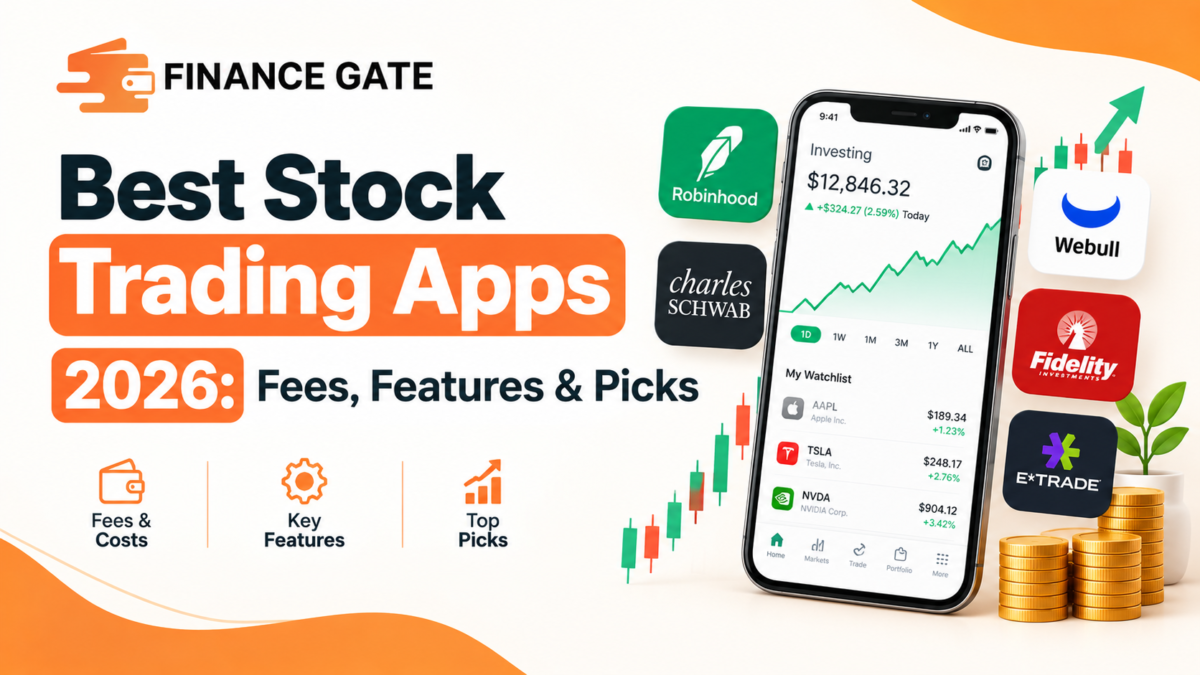
Best Stock Trading Apps in 2026
There is no single stock trading app that is automatically best for every investor. A more useful approach is to compare brokers according to the features that matter for your investing style.
| Brokerage/app | May suit investors looking for | Key areas to compare |
|---|---|---|
| Charles Schwab | Broad investing and research capabilities | Stocks, ETFs, retirement accounts, research, fractional shares |
| Fidelity | Long-term investing and broad account choices | Stocks, ETFs, mutual funds, retirement accounts, research |
| Robinhood | A streamlined mobile investing experience | Stocks, ETFs, options, fractional shares, mobile tools |
| Interactive Brokers | Advanced trading and broader market access | Trading tools, market access, pricing, research, order types |
| Webull | More advanced mobile trading tools | Charts, market data, technical analysis, trading features |
| E*TRADE | Investors wanting brokerage and research tools | Stocks, ETFs, options, retirement accounts, research |
| SoFi Invest | Investors interested in a simplified investing experience | Stocks, ETFs, fractional investing, account features |
| Public | Investors interested in a modern investing platform | Stocks, ETFs, fractional investing and platform features |
This table is a starting point rather than a ranking. Features differ by account, security, location and subscription level, so the details should be checked directly with each provider before making a decision.
For example, current 2026 comparisons from major financial publishers evaluate brokers using criteria including commissions, account minimums, investment selection, account types, research and app functionality.
How to Compare Stock Trading Apps
A low trading commission is only one part of the comparison. Before choosing a brokerage app, look at the complete cost and feature set.
Trading fees
Many mainstream brokers advertise $0 commissions for online U.S. stock and ETF trades, but that does not mean every transaction or service is free.
Potential costs can include:
- Options contract fees
- Margin interest
- Broker-assisted trading fees
- Mutual fund transaction fees
- Premium subscriptions
- Market-data charges
- Account-related fees
- Transfer or wire fees
- Currency-conversion costs
- Other transaction-specific charges
Always check the broker’s current fee schedule instead of assuming that “commission-free” means completely free.
Investment selection
Consider whether the app gives you access to the investments you actually intend to use.
Depending on the brokerage, the available choices may include:
- Individual stocks
- ETFs
- Mutual funds
- Bonds
- Treasury securities
- Options
- Fractional shares
- Cryptocurrency
- Money-market products
- Retirement investments
More investment choices are not automatically better. The useful question is whether the platform supports the type of portfolio and account you intend to build.
Fractional shares
Fractional shares allow investors to purchase less than one whole share of an eligible security.
This can be useful when a stock’s full share price is high or when an investor wants to put a specific dollar amount into an investment.
However, fractional-share availability varies by broker and security. Check which securities qualify, how orders are handled and whether there are restrictions on selling or transferring fractional positions.
Research and market data
Research features can become increasingly important as you move beyond basic buy-and-hold investing.
Useful tools may include:
- Stock screeners
- ETF screeners
- Financial statements
- Earnings information
- Analyst research
- Market news
- Price charts
- Technical indicators
- Watchlists
- Alerts
- Real-time or delayed quotes
- Fundamental data
A beginner may only need a few of these features. An active investor may need a much broader research toolkit.
Account types
A brokerage app can be attractive for taxable investing but less useful if it does not support the account types you need.
Depending on the provider, available accounts may include:
- Individual brokerage accounts
- Joint accounts
- Traditional IRAs
- Roth IRAs
- SEP IRAs
- Custodial accounts
- Education accounts
- Small-business retirement accounts
Check eligibility and current account requirements before opening an account.
Best Stock Trading Apps by Investor Type
Instead of asking which app is universally best, consider which platform characteristics match your objectives.
For beginners
Beginners may benefit from an app that combines:
- A straightforward interface
- Easy account navigation
- Educational material
- Simple order entry
- Fractional-share investing
- Accessible customer support
- Transparent pricing
- Basic research tools
A complicated platform can introduce unnecessary friction when someone is still learning how stocks, ETFs, orders and portfolios work.
The goal should not simply be finding the app with the most features. It should be finding an interface that makes the essential features understandable.
For long-term investors
Long-term investors may place greater importance on:
- Low ongoing costs
- ETFs and mutual funds
- Retirement accounts
- Dividend reinvestment
- Research
- Portfolio monitoring
- Automatic investing options
- Broad investment selection
For someone building a portfolio over many years, a brokerage’s retirement-account choices and investment selection may matter more than advanced trading charts.
FinanceGate’s Investment Growth Calculator can also help illustrate how recurring contributions and assumed growth rates can affect long-term investment projections. These calculations are hypothetical and do not predict actual investment returns.
For active traders
Active traders generally have different requirements.
Important features can include:
- Advanced charting
- Real-time market data
- Multiple order types
- Extended-hours trading
- Options tools
- Technical indicators
- Watchlists
- Alerts
- Fast order entry
- Desktop and mobile platforms
The important consideration is not simply whether an app has advanced features, but whether those features are useful for the strategies and instruments you actually understand.
For ETF investors
ETF investors may want to compare:
- ETF availability
- Expense ratios
- Fractional investing
- Automatic investment options
- Research tools
- ETF screeners
- Retirement-account availability
Remember that an ETF’s expense ratio is separate from the brokerage commission you may pay to purchase it.
For fractional-share investors
If investing with smaller amounts is important, check:
- Which stocks and ETFs qualify
- Minimum investment amounts
- Whether recurring purchases are supported
- How fractional orders execute
- Whether fractional shares can be transferred
- Dividend treatment
- Selling restrictions
Fractional investing can make portfolio construction more accessible, but the details differ between platforms.
For options traders
Options require additional scrutiny because the cost and complexity can be substantially different from ordinary stock investing.
Compare:
- Per-contract fees
- Exercise and assignment policies
- Options chains
- Greeks
- Probability tools
- Strategy builders
- Multi-leg order support
- Margin requirements
- Risk-management tools
- Educational resources
Options can involve substantial risk, and advanced functionality should not be confused with lower investment risk.
What to Look for in a Stock Trading App
A practical checklist can make the comparison easier.
1. Check the total cost
Don’t stop at the headline commission.
Review the complete fee schedule and determine which costs could apply to the way you plan to invest.
2. Check investment availability
Make sure the platform offers the stocks, ETFs, funds, bonds, options or other investments you actually want.
3. Check account types
If you plan to invest through an IRA or another specialized account, confirm that the brokerage supports it.
4. Examine research tools
Compare screeners, financial information, charts, news and other research resources.
5. Consider usability
An app should make routine tasks easy to understand:
- funding an account
- researching investments
- placing orders
- reviewing holdings
- checking statements
- managing account settings
6. Review security features
Look for protections such as strong authentication, account alerts and secure login controls.
7. Understand customer support
Check how the brokerage provides support and whether the available channels match your needs.
How Much Do Stock Trading Apps Cost?
The cost of investing through an app depends on what you trade and which services you use.
Common costs to investigate
| Potential cost | What to check |
|---|---|
| Stock trading commission | Whether online stock trades carry a commission |
| ETF commission | Whether ETFs are covered by the same pricing |
| Options fees | Per-contract and other options charges |
| Margin interest | Interest charged when borrowing |
| Mutual fund fees | Transaction fees and fund expenses |
| Premium subscriptions | Additional research or data features |
| Market data | Whether quotes or advanced data cost extra |
| Transfer fees | Costs for moving money or assets |
| Currency conversion | Relevant for certain international transactions |
A $0 stock commission does not eliminate the costs associated with owning an investment.
For example, an ETF can have an expense ratio even when the brokerage does not charge a separate commission for the trade.
Commission-Free Trading Does Not Mean Cost-Free Investing
“Commission-free” is useful information, but it should not be the only criterion.
Suppose two platforms both advertise $0 stock commissions. One may provide broader investment choices, while the other may offer more advanced trading tools. Depending on the investor, either difference could be more important than the commission itself.
Other considerations can include:
- Bid-ask spreads
- Fund expense ratios
- Margin rates
- Options contract fees
- Premium subscriptions
- Data charges
- Account fees
The right comparison is therefore total cost + useful features, not simply the advertised trading commission.
Are Stock Trading Apps Safe?
A stock trading app should be evaluated on more than its interface.
Start by identifying the actual brokerage firm behind the app and checking its regulatory and investor-protection information.
For eligible customers of SIPC-member brokerage firms, SIPC protection can cover certain securities and cash if the brokerage firm fails, subject to statutory limits. SIPC states that protection is generally up to $500,000, including up to $250,000 for cash. It does not protect investors from market losses or declining investment values.
That distinction is important:
Brokerage protection is not the same thing as investment protection.
If a stock loses value because the market falls, SIPC does not reimburse the investor for that decline.
Security features to review
When comparing an app, look for:
- Two-factor authentication
- Login alerts
- Device security controls
- Account notifications
- Strong password requirements
- Fraud monitoring
- Secure account recovery
You should also avoid sharing login credentials and be cautious about links or messages claiming to represent your brokerage.
How Do Stock Trading Apps Work?
Most stock trading apps are interfaces connected to brokerage accounts.
The basic process is:
- Open a brokerage account.
- Complete the broker’s identity and account requirements.
- Fund the account.
- Research an investment.
- Choose an order type.
- Submit the order.
- The brokerage routes and executes the order according to its processes.
- The resulting position appears in your account.
- You can monitor the investment through the app.
The app itself is therefore only one component of the investing system.
The brokerage account, available securities, order handling, fees, regulatory status and account protections all matter.
Stock Trading Apps vs. Investing Apps
The terms are often used interchangeably, but they can emphasize different user needs.
| Stock trading app | Investing app |
|---|---|
| Often emphasizes buying and selling securities | May emphasize long-term portfolio building |
| Can include advanced trading tools | May prioritize simplicity and automation |
| May provide real-time charts and alerts | May emphasize recurring investments |
| Often useful for active users | Often useful for passive or long-term investors |
| Can support options and other advanced products | May provide a narrower investment selection |
The distinction is not absolute. Many modern brokerage apps combine both trading and long-term investing functionality.
Common Mistakes When Choosing a Trading App
Choosing based only on $0 commissions
Zero commissions can be useful, but they don’t tell you everything about the cost of investing.
Ignoring account types
A platform may look attractive until you discover that it doesn’t support the account type you need.
Choosing complexity you don’t need
Advanced charts and trading tools can be useful, but more features can also make an app harder to navigate.
Ignoring investment selection
Check whether the platform actually offers the securities and funds you intend to use.
Confusing brokerage safety with investment safety
A legitimate brokerage account does not eliminate market risk.
Focusing only on the mobile app
The desktop platform, customer service, account management tools and research ecosystem can also affect the overall experience.
Not checking current pricing
Brokerage fees and features can change. Always check the current official fee schedule before opening an account or placing a trade.
How to Choose a Stock Trading App in 2026
A simple decision process can narrow the choices.
Step 1: Define your investing style
Are you primarily:
- a beginner?
- a long-term investor?
- an ETF investor?
- an active trader?
- an options trader?
Your answer determines which features matter.
Step 2: Choose the account type
Decide whether you need:
- taxable brokerage
- Roth IRA
- Traditional IRA
- joint account
- custodial account
- another specialized account
Step 3: Identify the investments you need
Make a list of the securities you expect to use.
Step 4: Compare costs
Look beyond headline commissions.
Step 5: Compare research and trading tools
Match the platform’s tools to your experience level.
Step 6: Review security and investor protection
Understand which entity holds the account and what protections may apply.
Step 7: Read the current terms
Before opening the account, verify the latest fees, availability, minimums and restrictions directly with the brokerage.
Frequently Asked Questions
What are the best stock trading apps in 2026?
The appropriate stock trading app depends on the investor’s goals. Compare brokerages based on investment selection, fees, account types, research, trading tools, fractional shares, usability and security rather than assuming one platform is best for everyone.
What is the best investing app in 2026?
There is no universally best investing app. Long-term investors may prioritize retirement accounts, low costs and broad fund selection, while active traders may need advanced charts, market data and order functionality.
What is the best stock trading app for beginners?
Beginners should generally look for a straightforward interface, transparent pricing, educational resources, fractional investing where appropriate, useful research and accessible customer support.
Which app is best for buying stocks?
Look for a brokerage that offers the stocks you want, transparent pricing, suitable account types, reliable order functionality and tools appropriate for your experience level.
What is the best free stock trading app?
Many major brokerages offer commission-free online stock trading, but investing may still involve other costs. Compare the complete fee schedule rather than selecting an app solely because its stock commission is $0.
Which stock trading apps offer fractional shares?
Several major brokerages offer fractional-share investing, but eligibility varies by platform and security. Check the brokerage’s current fractional-share rules before investing.
Which investing apps offer commission-free trading?
Many mainstream U.S. brokerages offer commission-free online trading for eligible stocks and ETFs. However, other transaction costs can still apply depending on the product and service.
What should you look for in a stock trading app?
Focus on investment selection, account types, total costs, research, trading tools, usability, security, customer support and any features specific to your investing strategy.
Are stock trading apps safe?
The safety of a trading app depends on the brokerage behind it, its security practices and the protections applicable to the account. Brokerage protection does not eliminate investment risk or protect against market declines.
What fees do stock trading apps charge?
Potential costs include options contract fees, margin interest, fund expenses, premium subscriptions, market-data charges, transfer fees and other account or transaction charges. Review the broker’s current fee schedule.
Which trading app is best for active traders?
Active traders generally need advanced charting, market data, order types, alerts, options tools and reliable execution functionality. The most suitable platform depends on the products and strategies being used.
Which investing app is best for long-term investors?
Long-term investors may prioritize low ongoing costs, broad ETF or fund selection, retirement accounts, research and automated investing features rather than advanced short-term trading tools.
How do stock trading apps work?
A trading app connects you to a brokerage account where you can research investments, submit orders and monitor holdings. The brokerage handles the account and order process behind the application.
Final Takeaway
The best stock trading apps in 2026 are not necessarily the apps with the longest feature lists or the lowest advertised commission.
A better comparison starts with your own requirements.
A beginner may value simplicity and education. A long-term investor may prioritize retirement accounts, fund selection and research. An active trader may need advanced charts, market data and order functionality. An investor focused on smaller contributions may care particularly about fractional shares.
Before opening an account, compare the brokerage’s current fees, available investments, account types, research tools, security practices and terms.
For more financial education and practical resources, explore FinanceGate and its growing collection of financial guides and tools.

 Muhammad Bilal