
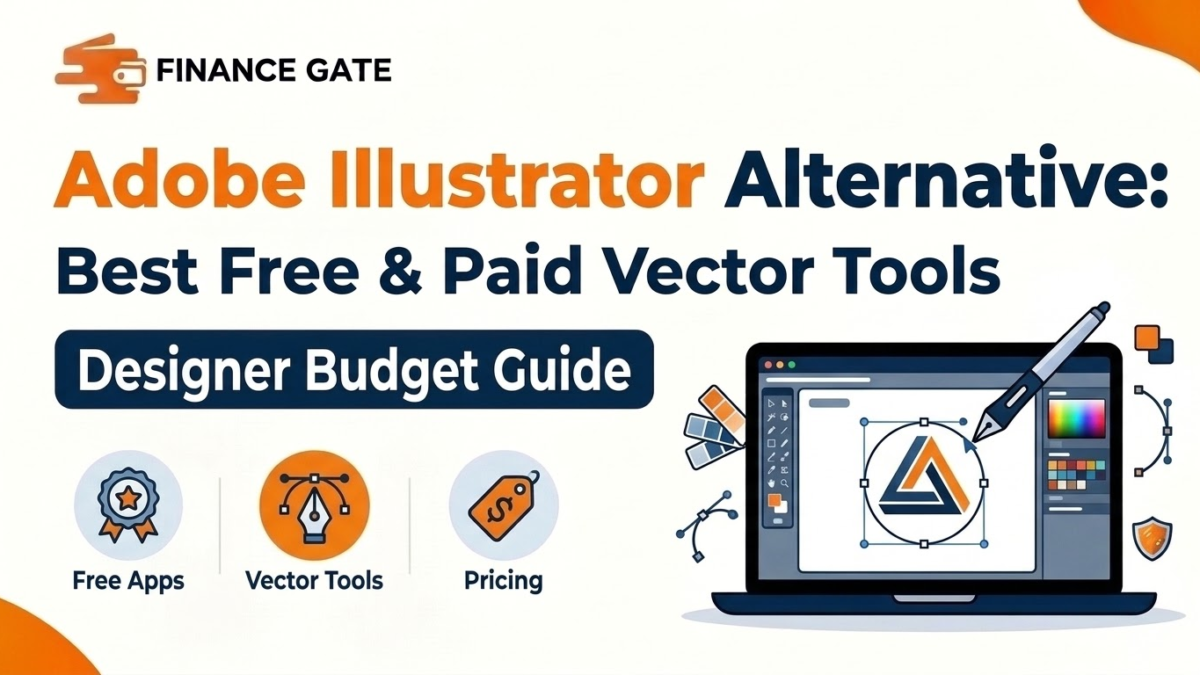
A freelance designer reviews her monthly expenses and finds one subscription costing more than her web hosting. That moment pushes many creators to search for an Adobe Illustrator alternative with lower long term costs. This guide compares the strongest vector tools, explains their pricing, and shows which option fits each budget.
Illustrator remains the standard for logos, icons, and print artwork, but its subscription adds up over years. Readers of the principles of design and their importance know skill matters more than software. Many cheaper tools now handle professional vector work with surprising accuracy and speed.
The sections below cover free apps, purchase options, browser tools, and subscription competitors for different design needs. Readers will also find cost comparisons, file format notes, a switching checklist, and common mistakes. Each part focuses on practical money decisions, so freelancers and small teams can cut software costs with confidence.
Quick Answer: What Is the Best Adobe Illustrator Alternative?
Affinity by Canva is the best Adobe Illustrator alternative for most designers, since its vector tools cost nothing. Inkscape suits open source fans, while Figma fits interface and web design teams. The right choice still depends on file needs, operating system, and existing client workflows.
Adobe Illustrator Alternative at a Glance
A short summary helps readers compare costs and strengths before reading the detailed profiles in later sections:
| Tool | Best for | Price model | Platforms |
|---|---|---|---|
| Affinity by Canva | Professional print and logo work | Free, optional paid AI tools | Windows and Mac |
| Inkscape | Budget users and open source fans | Free and open source | Windows, Mac, and Linux |
| Figma | Interface, web, and team design | Free plan, paid seats | Browser and desktop |
| CorelDRAW | Sign making and print shops | Subscription or license | Windows and Mac |
| Linearity Curve | Mac and iPad illustrators | Free plan, paid tiers | Mac and iPad |
| Canva | Quick marketing graphics | Free plan, paid Pro | Browser and mobile |
| Boxy SVG | Simple SVG editing | Low cost license | Browser and desktop |
Affinity and Inkscape remove software costs almost entirely, while Figma and CorelDRAW serve specialized professional workflows.
Why Do Designers Look for an Adobe Illustrator Alternative?
Designers usually leave Illustrator for three reasons: cost, hardware demands, and workflow fit for their actual projects. A clear view of each reason helps buyers judge whether switching saves money or simply creates new problems.
Subscription Costs Add Up
Illustrator as a single app costs around $22.99 monthly on an annual plan, about $276 yearly. Over five years, that single subscription costs more than many freelancers spend on their computer hardware itself.
The full Creative Cloud Pro bundle costs around $69.99 monthly, which suits agencies more than solo creators. Small businesses that only design social posts or simple logos rarely need that full professional bundle.
Hardware and Learning Demands
Illustrator runs best on modern computers with strong graphics performance and plenty of memory for large files. Older laptops often struggle, so some users switch to lighter tools that run smoothly on cheaper hardware.
Workflow Fit
Interface designers often prefer Figma, since its components, prototypes, and live collaboration suit app and website projects. Marketing teams may prefer Canva, because templates and brand kits produce social graphics faster than blank artboards.
In simple words, a good Adobe Illustrator alternative lowers software costs while still producing clean, scalable vector artwork.
How Much Does Illustrator Cost Over Time?
Software costs feel small monthly but grow large over several years of steady professional use. The table below compares estimated five year costs for common vector tools at published prices:
| Tool | Approximate yearly cost | Approximate five year cost |
|---|---|---|
| Illustrator single app | $276 | $1,380 |
| Creative Cloud Pro bundle | $840 | $4,200 |
| Affinity by Canva | $0 | $0 |
| Inkscape | $0 | $0 |
| Figma Professional seat | $180 | $900 |
The numbers show why freelancers and startups take free alternatives seriously when planning long term software budgets.
What Makes Vector Software Different From Raster Tools?
Vector software builds images from mathematical paths, points, and curves instead of tiny colored pixels on a grid. That structure lets a logo scale from a business card to a billboard without losing sharpness or quality.
Anchor points -> Paths and curves -> Shapes and fills -> Scalable artwork -> SVG, PDF, or EPS export
The flow above shows how vector tools turn simple points into artwork that prints cleanly at any size. Raster tools like photo editors work with pixels, so enlarged raster logos often look blurry.
Common Vector File Formats
Most vector tools support SVG, PDF, and EPS files, which help designers share artwork with clients and printers. Native Illustrator AI files open in several alternatives, although complex effects sometimes convert imperfectly during import.
Best Adobe Illustrator Alternatives Compared
Each tool below receives a short profile covering audience, pricing, strengths, and weak points for designers and businesses. The order follows overall value for freelancers, small agencies, and in house marketing teams.
1. Affinity by Canva
Canva combined Affinity Designer, Photo, and Publisher into one free app for individuals in October 2025. The app includes vector, pixel, and layout workspaces, so designers can create logos, edit photos, and build brochures.
Users need a free Canva account to download it, while some optional AI features require Canva Pro. The core vector tools remain free, which makes Affinity the strongest value choice for most freelance designers today.
Affinity suits print designers, logo creators, and illustrators who want professional precision without a monthly bill. Teams that share files heavily with Illustrator users should still test complex imports before switching every project.
2. Inkscape
Inkscape is a free and open source vector editor that runs on Windows, Mac, and Linux computers. A global volunteer community maintains the project, so users never pay license fees or subscription costs.
The app uses SVG as its native format and exports PDF, EPS, and other print and web formats. Its extension library adds extra tools for barcodes, patterns, and technical drawings that some designers need regularly.
Inkscape feels less polished than paid apps, and huge files can slow down on older computers. Beginners may need extra time with tutorials, but the zero cost makes that effort worthwhile.
3. Figma
Figma started as an interface design tool but now handles icons, illustrations, and simple vector graphics well. Its free plan supports small projects, while Professional seats cost around $15 per editor monthly, billed annually.
Live collaboration lets designers, developers, and clients comment on the same file in real time from a browser. Components, auto layout, and prototyping features make Figma the clear leader for website and app design teams.
Figma lacks some advanced print features, such as detailed color separation and certain prepress controls for packaging work. Print designers usually pair it with another tool or choose Affinity for final production files.
4. CorelDRAW
CorelDRAW has served sign makers, print shops, and manufacturing teams for decades with strong layout and output tools. It offers subscription and license options, and pricing varies by region, so buyers should check current offers.
The software handles cutting plotters, vinyl signs, and large format printing workflows better than many general design apps. Its long history also means many print shops still request CorelDRAW files from their regular business customers.
CorelDRAW costs more than free alternatives, and its interface feels busy for designers coming from Illustrator. Buyers outside print and sign industries often find better value in Affinity or Inkscape for everyday work.
5. Linearity Curve
Linearity Curve, formerly known as Vectornator, focuses on Mac and iPad users who enjoy touch and stylus drawing. A free plan covers basic work, while paid tiers unlock extra features, storage, and advanced export options.
The app feels friendly and modern, which helps beginners create icons, illustrations, and social graphics quickly on tablets. Apple Pencil support makes it attractive for illustrators who sketch ideas directly on the iPad screen.
Windows users cannot run the app, which limits its value for mixed teams using different operating systems. Professional print features also remain lighter than Affinity, so complex packaging work may need another tool.
6. Canva
Canva offers templates, brand kits, and drag and drop editing for social posts, flyers, and presentations. Its free plan covers many basic needs, while Canva Pro adds premium templates, background removal, and brand controls.
Small businesses without trained designers often get faster results from Canva than from any professional vector application. The platform also exports SVG and PDF files on paid plans, which helps simple print projects.
Canva cannot replace Illustrator for detailed custom illustration, precise path editing, or complex packaging design. Most professionals treat it as a quick marketing tool instead of a full vector design replacement.
7. Boxy SVG
Boxy SVG is a lightweight editor built around the SVG format, which suits web developers and icon designers. The app runs in browsers and on desktops, with a low cost license compared with professional design suites.
Developers like that Boxy SVG produces clean code that loads quickly on websites and supports animation. Simple icons, diagrams, and interface assets fit its focused feature set without extra clutter or confusion.
The tool lacks advanced illustration brushes, print controls, and large project management features found in bigger apps. It works best as a specialized helper instead of a complete Illustrator replacement for agencies.
Adobe Illustrator vs Affinity by Canva
Buyers compare these two tools more than any other pair, so the main differences deserve a closer look:
| Factor | Adobe Illustrator | Affinity by Canva |
|---|---|---|
| Price | About $22.99 monthly | Free for individuals |
| Workspaces | Vector only | Vector, pixel, and layout |
| AI file import | Native | Supported with some limits |
| Industry use | Dominant | Growing quickly |
| Best fit | Agencies with Adobe clients | Freelancers and small studios |
Illustrator wins on industry use, while Affinity wins on cost and its combined vector, photo, and layout workspace.
Free vs Paid Adobe Illustrator Alternatives
Free tools now handle most professional tasks, but paid tools still offer extras that some teams need daily. The table below compares the two groups across common decision factors for buyers:
| Factor | Free tools | Paid tools |
|---|---|---|
| Examples | Affinity, Inkscape, Figma free plan | CorelDRAW, Figma Professional |
| Upfront cost | None | Monthly or yearly fees |
| Support | Community forums and guides | Official support teams |
| Collaboration | Limited on most free plans | Strong team features |
| Best fit | Freelancers and small budgets | Teams with specific workflows |
Free tools cover most solo work, while paid tools justify their price through collaboration, support, or specialized output.
Browser Tools vs Desktop Apps
Some alternatives run inside a browser, while others install on a computer like traditional design software. Each option brings clear tradeoffs for speed, file storage, and offline work during client projects.
| Factor | Browser tools | Desktop apps |
|---|---|---|
| Examples | Figma, Canva, Boxy SVG | Affinity, Inkscape, CorelDRAW |
| Installation | None needed | Download and install |
| Offline work | Limited | Full offline access |
| Collaboration | Real time sharing | File based sharing |
| Large files | Depends on connection | Depends on computer hardware |
Browser tools suit collaborative teams, while desktop apps suit designers working offline or handling huge print files.
Best Adobe Illustrator Alternative by Use Case
Different projects reward different tools, so this table matches common design needs with the strongest choice:
| Use case | Best tool | Reason |
|---|---|---|
| Logo and brand identity | Affinity by Canva | Precise vector tools at no cost |
| Website and app interfaces | Figma | Components and live collaboration |
| Signs and vinyl cutting | CorelDRAW | Plotter and print shop support |
| iPad illustration | Linearity Curve | Touch and stylus friendly design |
| Social media graphics | Canva | Templates and brand kits |
| Web icons and SVG code | Boxy SVG | Clean SVG output |
| Zero budget learning | Inkscape | Free on every major platform |
The table gives a starting point, but a short test project still confirms the best fit.
Hidden Costs of Switching Design Software
Free software still carries hidden costs, so smart buyers count time, training, and file conversion before switching. A realistic budget prevents surprises and shows whether the move truly saves money for the business.
| Hidden cost | Typical impact | How to reduce it |
|---|---|---|
| Learning time | Slower work for two to four weeks | Shortcut guides and practice projects |
| File conversion | Fixing imported client files | Archive PDF and SVG copies first |
| Font licensing | Missing fonts after migration | Keep a list of licensed fonts |
| Plugin replacement | Lost automation tools | Find native features or alternatives |
| Client communication | Questions about file formats | Explain deliverables before switching |
Most hidden costs appear only during the first month, so careful planning keeps the long term savings intact.
Does Switching Affect Client Work?
Clients usually care about the final files, not the software that produced them during the design process. Logos delivered as SVG, PDF, EPS, and PNG files work everywhere, regardless of which vector tool created them.
Problems appear mainly when clients or agencies send native AI files and expect edited AI files back. Designers who serve those clients often keep one Illustrator license for compatibility while using cheaper tools elsewhere.
Clear contracts help here, since a simple deliverables list explains which formats each project includes from the beginning. That small step prevents misunderstandings and keeps the switch invisible to most clients and print partners.
Real World Example: A Freelancer Cuts Software Costs
A freelance logo designer paid for Illustrator every month for four years while serving small local businesses. Her annual software bill reached about $276, which equaled two full logo projects for her typical clients.
She tested Affinity by Canva on three client projects and exported final files as SVG, PDF, and EPS. Every client received the same quality artwork, and nobody asked which software created the final logo files.
She now keeps Illustrator only during months when agency partners send complex native files that need perfect compatibility. Creators who produce motion content can compare similar savings in the after effects alternative guide here.
Key Characteristics of a Strong Adobe Illustrator Alternative
Readers can judge any vector tool against these key characteristics before moving client projects away from Illustrator:
- A strong alternative edits precise paths, anchor points, and curves without distortion at any artwork size.
- Reliable export options include SVG, PDF, and EPS files that printers and developers accept without extra conversion.
- Native Illustrator file import works for common projects, so older client artwork remains editable after switching.
- Color controls support CMYK for print and RGB for screens, which protects brand colors across every channel.
- Stable performance on mid range computers keeps large files responsive during long design sessions and revisions.
- Active communities, tutorials, and documentation help new users learn shortcuts and solve problems quickly without paid training.
Benefits of Switching From Illustrator
Switching vector tools brings clear financial and practical benefits for many freelancers, startups, and small marketing teams:
- Free tools like Affinity and Inkscape remove recurring software costs from monthly business budgets for good.
- Lower software expenses let freelancers offer competitive prices while keeping healthy profit margins on every project.
- Lighter apps run smoothly on older laptops, which delays expensive hardware upgrades for small design teams.
- Browser tools like Figma make client feedback faster, since clients comment directly on live design files.
- Combined workspaces in Affinity reduce the need for separate photo editing and layout software subscriptions.
How to Switch From Illustrator to a New Vector Tool
A careful switching plan protects client files, keeps deadlines safe, and avoids wasted money on unsuitable software. The steps below move from auditing current work to testing, migrating, and final team training.
Step 1: Audit Current Projects and Files
List active projects, recurring clients, and file types that arrive or leave each month in the design workflow. That list shows whether native AI file compatibility matters or whether SVG and PDF files cover every need.
Step 2: Shortlist Two Alternatives
Choose two tools that match the main project types, operating systems, and collaboration needs of the business. Comparing only two options keeps testing focused and prevents weeks of scattered experimentation across many apps.
Step 3: Test With a Real Client Project
Recreate one finished client project inside each shortlisted tool and compare speed, accuracy, and export quality. Real projects reveal missing features and workflow problems far better than tutorials or demo files can show.
Step 4: Convert and Archive Old Files
Export older Illustrator projects as PDF or SVG files while the subscription still remains active and accessible. Those archived copies protect past client work if the original AI files later open imperfectly elsewhere.
Step 5: Rebuild Templates and Brand Assets
Recreate common templates, color palettes, and brand assets inside the new tool before cancelling the old subscription. Ready templates help designers move quickly on future projects without hunting for missing styles.
Step 6: Cancel and Track Savings
Cancel the Illustrator plan after confirming that every active project works smoothly inside the new vector tool. Track monthly savings in the business budget, since visible results help justify the switch to partners.
Tips for Choosing a Vector Design Tool
These tips help designers avoid expensive mistakes when picking a new vector tool for client and business work:
- Test native file imports with real client artwork before trusting any marketing claims about compatibility.
- Check whether the tool supports CMYK color, since print jobs need accurate color settings for brand consistency.
- Compare keyboard shortcuts with Illustrator, because familiar shortcuts reduce the learning curve during busy months.
- Read cancellation terms for paid tools, since some annual plans charge fees when users cancel early.
- Join official forums or community groups, which often answer technical questions faster than formal support tickets.
- Keep one shared folder of exported PDF and SVG masters, so files stay usable across different apps.
Best Practices for Small Businesses and Freelancers
Freelancers should standardize on one main vector tool and one backup option for rare compatibility problems with clients. That simple setup prevents scattered files and reduces the time spent switching between unfamiliar interfaces.
Small businesses should store brand logos in several formats, including SVG, PDF, and high resolution PNG files. Multiple formats protect the brand when staff members change tools or hire new freelance designers later.
Finance teams should review software subscriptions every quarter and cancel tools that nobody used during recent projects. Regular reviews often reveal forgotten trials, duplicate seats, and expensive plans that cheaper alternatives can replace.
Common Mistakes When Choosing an Adobe Illustrator Alternative
1. Cancelling Before Archiving Files
Some designers cancel Illustrator before exporting old projects, which leaves native files hard to open later. Archiving PDF and SVG copies first protects years of client work and saves stressful recovery efforts.
2. Ignoring Client File Requirements
Agencies and print shops sometimes require native AI files, so switching without asking clients can cause friction. A quick conversation about file needs prevents surprises when final deliverables reach the client inbox.
3. Choosing Based on Price Alone
The cheapest tool can cost more if it slows production, lacks print features, or frustrates every designer daily. Value depends on time saved and quality delivered, along with the monthly subscription price.
4. Skipping Color Settings
New users sometimes design print projects in RGB color mode, which changes brand colors after professional printing. Setting CMYK at the start keeps printed brochures, packaging, and business cards accurate to the brand.
5. Expecting Identical Shortcuts and Menus
Every vector tool organizes menus differently, so designers who expect Illustrator habits will feel frustrated at first. A short training plan with shortcut cheat sheets makes the transition smoother for busy teams.
6. Overlooking Team Collaboration Needs
Solo designers may love a desktop app, but growing teams often need shared libraries and live commenting tools. Choosing without team input can force another expensive switch within a year or two.
Adobe Illustrator Alternative Checklist
Use this checklist before moving design work away from Illustrator to any new vector tool:
- Active projects, recurring clients, and required file formats appear in a written list for the design team.
- Two alternatives received fair tests with at least one real client project and full export checks.
- Older Illustrator projects exist as archived PDF and SVG copies before the subscription ends for good.
- Brand templates, color palettes, and common assets exist inside the new tool before final cancellation.
- Print projects use CMYK color settings, while screen projects use RGB settings for accurate brand colors.
- Clients and print partners know about any file format changes before the next major deliverable arrives.
- Monthly software savings appear in the business budget, so the financial benefit stays visible to partners.
Interview Questions to Ask Before Switching
Teams can ask themselves a few honest questions before changing software that affects every client deliverable. One useful question asks which clients require native AI files and how often those requests actually happen.
Another question asks which Illustrator features the team used during the last three months of real work. Many teams discover they use a small feature set, which most free alternatives already handle well.
A final question asks how much time the team can spend learning a new tool next quarter. Busy seasons make poor switching periods, so many studios plan transitions during slower months of the year.
Frequently Asked Questions
What is the best Adobe Illustrator alternative?
Affinity by Canva is the best Adobe Illustrator alternative for most designers because its vector tools are free. Inkscape and Figma also work well, depending on platform needs and collaboration requirements.
Is there a free Adobe Illustrator alternative?
Affinity by Canva and Inkscape both offer free vector design tools for logos, icons, and print work. Figma and Canva also include free plans, although their features focus on interface and marketing design.
Can Affinity open Adobe Illustrator files?
Affinity can import many Adobe Illustrator files, especially those saved with PDF compatibility enabled in Illustrator. Complex effects or newer features may convert imperfectly, so designers should test important client files first.
Is Inkscape good enough for professional work?
Inkscape handles professional logos, icons, and illustrations well, and many freelancers use it for paid client projects. Its interface feels less polished than paid apps, but the free license makes it attractive.
How much does Adobe Illustrator cost per year?
Adobe Illustrator as a single app costs around $22.99 monthly on an annual plan, or about $276 yearly. The full Creative Cloud Pro bundle costs much more, which pushes many users toward a cheaper alternative.
Is Figma a good Adobe Illustrator alternative?
Figma works well as an Adobe Illustrator alternative for interface, web, and icon design with live team collaboration. Print designers often prefer Affinity, since Figma lacks some advanced prepress and color separation controls.
Which Illustrator alternative works best on iPad?
Linearity Curve works well on iPad, with friendly touch controls and strong Apple Pencil support for illustrators. Affinity also offers iPad options, so designers should compare current features before choosing one tablet app.
Can Canva replace Adobe Illustrator?
Canva can replace Illustrator for simple social graphics, flyers, and presentations built from templates and brand kits. It cannot replace detailed vector illustration, precise path editing, or complex packaging design work.
What file formats should vector designers deliver?
Vector designers usually deliver SVG, PDF, and EPS files, along with high resolution PNG files for quick use. These formats work across most software, printers, and websites without requiring the original design application.
Is CorelDRAW better than Illustrator?
CorelDRAW performs better for sign making, vinyl cutting, and some print shop workflows than Illustrator does. Illustrator remains more common in agencies, so the better choice depends on industry and client expectations.
Key Takeaways
- An Adobe Illustrator alternative can cut software costs while still producing professional, scalable vector artwork.
- Illustrator costs around $22.99 monthly as a single app, which reaches roughly $1,380 over five years.
- Affinity by Canva became free in October 2025 and combines vector, pixel, and layout workspaces in one app.
- Inkscape offers free and open source vector editing on Windows, Mac, and Linux computers for every user.
- Figma leads for interface and web design, with live collaboration and paid seats around $15 monthly.
- CorelDRAW suits sign makers and print shops that need plotter support and specialized output tools.
- Linearity Curve fits Mac and iPad illustrators who enjoy touch controls and Apple Pencil drawing.
- Canva works well for quick marketing graphics but cannot replace detailed custom vector illustration work.
- Designers should archive old Illustrator projects as PDF and SVG files before cancelling any subscription.
- Real client test projects reveal compatibility problems faster than tutorials, demos, or marketing claims.
- Quarterly software reviews help small businesses cancel unused subscriptions and protect monthly profit margins.
What to Do Next
Start by listing every client file format and design task the business handled during the last three months. That list shows which features matter and which expensive tools the team rarely uses today.
Next, download Affinity by Canva or Inkscape and recreate one recent client project from beginning to end. Compare quality, speed, and export results, then decide whether the monthly Illustrator subscription still earns its cost.
Final Thoughts
The right Adobe Illustrator alternative depends on project types, client file needs, and the team’s collaboration style. Affinity covers most freelancers, Inkscape covers zero budget users, and Figma covers interface teams with confidence.
Software costs matter more than many designers expect, especially across several years of steady subscription payments. A careful switch protects client work, lowers expenses, and keeps more profit inside the business each month.
Explore more money saving guides and business tool reviews on Finance Gate.

 Muhammad Bilal